
Data sources
In this section, you’ll learn how a data source connects Grafana to the system that holds your data.
A data source is a configured connection between Grafana and a system that holds data, such as Prometheus, Loki, an SQL database, a cloud service, an API, or a file. In the normal query flow, the data remains in that external system. Grafana sends a query through the data source connection and receives results to explore, visualize, or evaluate.
A data source plugin supplies the connection settings and the query editor for a particular technology. An administrator usually configures the connection and credentials once; authors then choose that data source in Explore, a panel, or an alert rule. This separation lets one Grafana instance work with many backends without requiring every backend to use the same query language or data model.
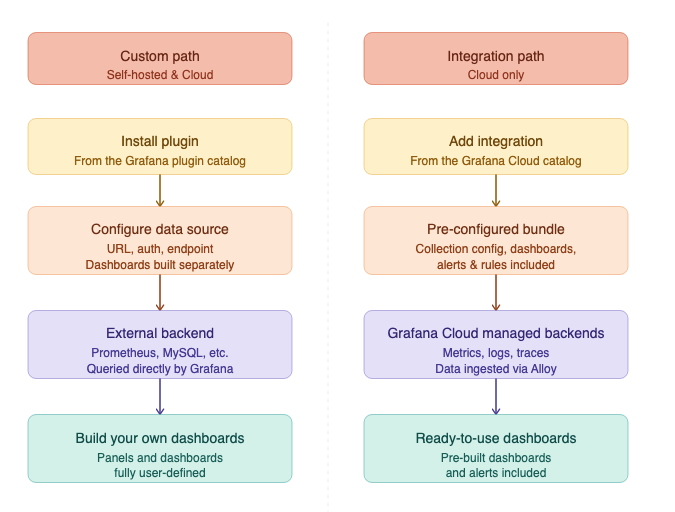
You learned that a data source is Grafana’s configured connection to an external backend and that its plugin provides the backend-specific query experience.